
How to manage an alert in Discord
As we work to publish and push new features, we have now begun allowing members to register and to log their own plays in our trading Discord.
The initial feedback has been that many users would like an explanation and some description on how to use the bot. So here we are, a detailed post explaining the main feature “Create an Alert” and how to access and use it. While this article is focused on the how to use aspect, I want to take a quick moment to explain how to get access to use it.
Any user wishing to create plays in the bot must first send a message to @TheStocksBot Dev in the trading discord and he can provide you use rights.
How to open a play
I understand Discord bots can be confusing so I will try to provide as much detail as I can related to the process.
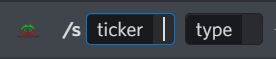
First thing to note is that all bot commands start with a /
The Discord bot currently has the ability to open FOUR type of plays
Required and optional data to open a play
When opening an equity Stock play the user MUST include:
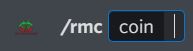
When opening a Crypto play the user MUST include:

When opening a Options play the user MUST include:

When opening a Short play the user MUST include:

There are seven (7) optional commands that are not required but may be used for additional details and function:
How to close an alert
There are two ways to close an alert. First you can use one of the four remove commands similar to the same way you opened the alert. Second you can select the action drop down on the original alert response and select remove.



If you have further questions or need additional support you can always ask them on the support Discord
I have added a YouTube video for the people who do not like to read this much!