
How to Import the Advanced Toolkit
The following instructions will guide you on importing The Stocks Bot Advanced Toolkit into your NinjaTrader environment. Should you have any issues or questions, please start with the F.A.Q or check in the Discord.
Step 1.
Download the zip file. Do not extract the file, leave it as a zip.
Step 2.
Open Nintrader 8 and navigate to your main Control Panel

Step 3.
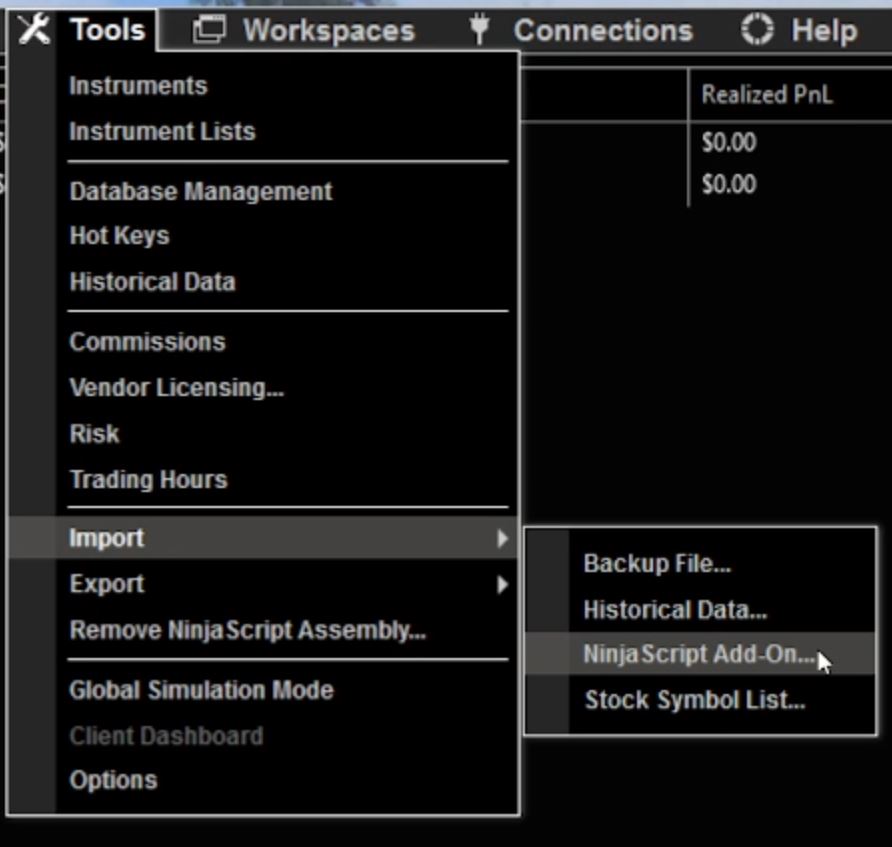
Select Tools -> Import -> NinjaScript Addon
Step 4.
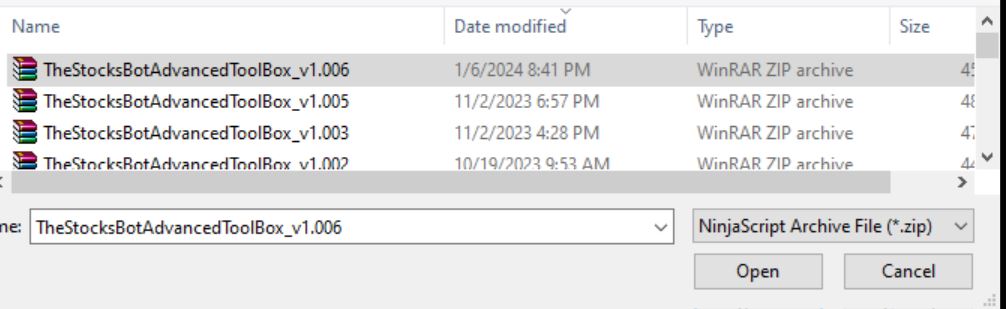
Select the zip file you downloaded and select open
Step 5.
Select OK for all the prompts to allow installing of files / content
Step 6.
Restart NinjaTrader 8